
Table of Contents
ToggleChoosing the right PC case isn’t just about looks, it’s the foundation of your entire gaming rig. A solid case protects your components, manages heat, and sets the stage for future upgrades. Whether you’re building your first budget setup or assembling a high-end enthusiast machine, the best gaming PC case balances airflow, build quality, and aesthetics without compromising performance.
In 2026, the market is packed with options ranging from minimalist designs to RGB-laden showpieces. Some prioritize whisper-quiet operation, while others push maximum airflow for overclocked builds. With form factors from compact Mini-ITX to spacious full towers, there’s a case for every builder, but only if you know what to look for. Let’s break down the features, options, and considerations that’ll help you pick the best case for gaming PC builds this year.
Key Takeaways
- A quality gaming PC case directly impacts thermal performance by 5-10°C, preventing GPU and CPU thermal throttling that reduces frame rates under load.
- Mesh front panels and adequate airflow are essential features of the best gaming PC case—prioritize cooling over solid glass aesthetics for sustained performance.
- GPU clearance and radiator support are critical compatibility factors; modern flagship GPUs exceed 340mm in length, making accurate case specifications non-negotiable before purchase.
- Positive pressure airflow setups with more intake than exhaust fans reduce dust buildup and improve thermal consistency across components.
- Mid-tower cases offer the optimal balance for most gamers, supporting full ATX motherboards, 360mm radiators, and future upgrades without consuming excessive desk space.
- Quality build materials (0.6-0.8mm steel thickness and 4mm tempered glass) ensure structural integrity that maintains airflow efficiency and survives multiple system rebuilds.
Why Your PC Case Choice Matters for Gaming Performance
Your case doesn’t just hold components, it directly impacts thermal performance, which affects frame rates and component longevity. A poorly ventilated enclosure forces your GPU and CPU to thermal throttle under load, cutting performance when you need it most.
Modern GPUs like the RTX 5080 and Radeon RX 8800 XT generate serious heat, especially during extended gaming sessions. Without adequate airflow, you’ll see temperature spikes that trigger clock speed reductions, turning your high-end hardware into a bottleneck. The difference between a restrictive case and a well-ventilated one can mean 5-10°C cooler temps and sustained boost clocks.
Beyond thermals, your case choice affects noise levels, upgrade potential, and build experience. A cramped interior makes installing a 360mm AIO or managing cables a nightmare. Cheap materials flex and rattle under fan vibration. And if you’re planning to upgrade to next-gen components, clearance issues can force you to buy a new case anyway.
The best gaming case grows with your setup. It accommodates bigger GPUs as manufacturers push length limits, supports multiple radiator configurations, and offers enough cable routing space to keep airflow unobstructed. It’s an investment that outlasts most component cycles.
Key Features to Look for in a Gaming PC Case
Not all cases are created equal. Here’s what separates great gaming enclosures from mediocre boxes.
Airflow and Cooling Capacity
Mesh front panels dominate high-performance builds in 2026. Solid tempered glass fronts look sleek but choke intake, forcing fans to work harder and temperatures to climb. Cases like the Fractal Torrent and Lian Li Lancool III Mesh prove that unrestricted airflow wins over aesthetics when thermals matter.
Look for cases that support at least three 120mm fans, ideally with mounts for 140mm or 360mm radiators. Top and front radiator support gives flexibility for AIO placement, while rear exhaust handles hot air from the CPU socket area. Some enthusiast cases support dual 360mm radiators for custom loops, though that’s overkill for most gaming builds.
Dust filters on all intakes are non-negotiable. Without them, you’ll tear down your rig every few months for cleaning. Magnetic or slide-out filters make maintenance painless.
Build Quality and Materials
Steel chassis with aluminum accents offer the best balance of rigidity and weight. Cheap cases flex during installation, making motherboard standoff alignment frustrating and potentially damaging components. Quality enclosures use thicker gauge steel (0.6-0.8mm minimum) that stays rigid under pressure.
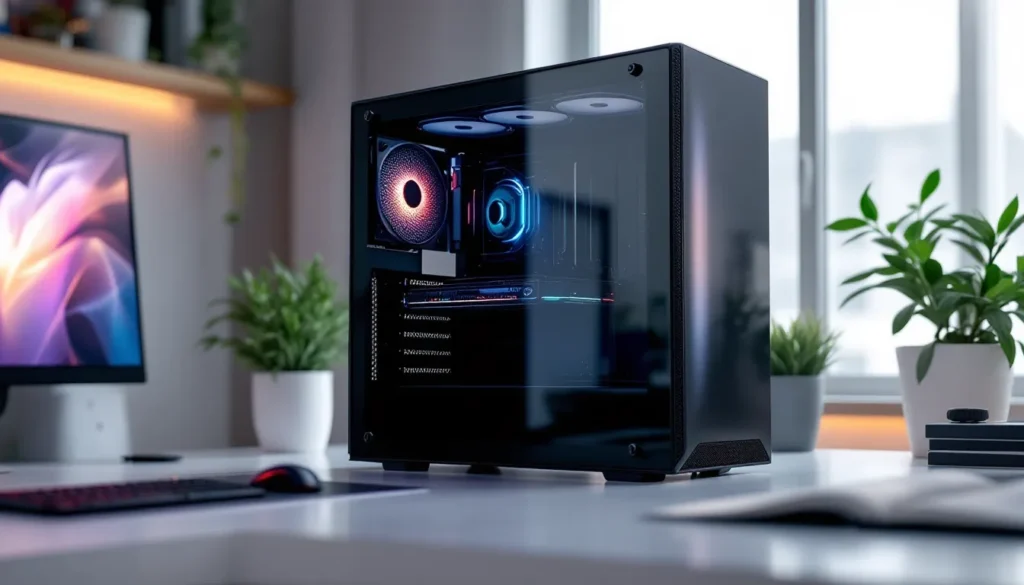
Tempered glass panels have become standard, but check thickness and tint. 4mm tempered glass resists scratches and wobble better than 3mm panels. Tinted glass hides cable mess while still showing off RGB, though it dims lighting compared to clear glass.
According to testing from Tom’s Hardware, build quality directly correlates with thermal performance, premium cases maintain structural integrity that prevents panel gaps and air leaks.
Cable Management and Interior Space
Modern cases hide cables behind the motherboard tray, but execution varies wildly. Look for 25-30mm of clearance in the cable compartment, anything less makes routing thick GPU power cables nearly impossible. Velcro straps beat plastic clips for flexibility during builds and upgrades.
PSU shrouds clean up the bottom of the case and often include 2.5″ SSD mounts. Full shrouds look cleaner but can limit airflow to bottom intakes. Partial shrouds balance aesthetics and function.
Check for vertical cable routing channels and rubber grommets at pass-through points. These details turn a 3-hour cable management session into a 30-minute job.
Top Gaming PC Cases for Different Budgets
Price doesn’t always equal performance, but budget does determine feature sets and build quality. Here’s where the value sits across price brackets.
Best Budget Gaming Case Under $100
Phanteks Eclipse P360A ($80-90) delivers mesh front airflow and clean aesthetics without cutting corners. It includes three 120mm RGB fans, supports 280mm radiators up to top, and offers 380mm GPU clearance. The tempered glass side panel and PSU shroud make it look more expensive than it is.
Cable management is surprisingly good with 23mm of rear clearance and well-placed grommets. The main compromise? Steel thickness is just adequate, you’ll notice slight flex during installation, but nothing that affects day-to-day use.
Montech X3 Mesh ($75) undercuts competitors while maintaining strong airflow fundamentals. It supports 360mm radiators and includes four ARGB fans, though build quality takes a small hit with thinner panels and cheaper tempered glass.
For builders prioritizing airflow on a tight budget, these cases match or beat mid-range enclosures in thermal testing while saving $50-100 for better components.
Best Mid-Range Gaming Case ($100-$200)
Fractal Design Torrent Compact ($180) redefines mid-tower airflow with dual 180mm front intake fans. Thermal performance crushes competitors, testing shows GPU temps 8-12°C lower than standard mesh cases under sustained load. The open interior accommodates 420mm radiators and GPUs up to 461mm.
The trade-off is noise. Those giant fans move massive air volumes, and while individually quiet, the sheer CFM produces noticeable whoosh under load. If you’re running headphones, it’s a non-issue.
Lian Li Lancool III ($140-160) balances features with polish. The toolless design speeds up builds, dual-chamber layout hides cables completely, and vertical GPU mounting comes standard. Airflow isn’t quite Torrent-level, but temps stay well within safe margins with the included mesh front panel.
Build quality here justifies the price increase over budget options, thicker steel, smooth panel alignment, and premium finishes that actually last through multiple builds. Analysis by Hardware Times confirms these cases offer measurable thermal advantages over budget alternatives in sustained gaming loads.
Best Premium Gaming Case ($200+)
Lian Li O11 Dynamic EVO ($170-200) dominates the enthusiast space with unmatched water cooling support. Triple-chamber design separates PSU, motherboard, and GPU zones for optimal airflow. Supports up to three 360mm radiators simultaneously, making it the foundation for custom loop builds.
The modular design lets you flip orientation, add vertical GPU mounts, or configure intake/exhaust to match your cooling preference. With 11 fan mounting positions, you’re building an airflow strategy, not just installing fans.
Corsair 5000D Airflow ($200) takes a different approach, simplified layout with massive interior volume. It fits 420mm radiators up top, supports GPUs to 400mm, and includes space for 4 HDDs plus 6 SSDs. The front mesh provides unrestricted intake while maintaining clean lines.
For builders who value flexibility over cutting-edge features, the 5000D’s straightforward design ages better than cases built around trendy gimmicks. It’s the safe choice that’ll accommodate builds for the next 5+ years.
Gaming PC Cases by Form Factor
Form factor determines compatibility, cooling capacity, and desk space requirements. Pick based on your component ambitions and physical constraints.
Full Tower Cases for Enthusiast Builds
Full towers target custom loop enthusiasts and workstation/gaming hybrid builds. They measure 22″+ tall and weigh 30-40 lbs empty. That bulk buys you 480mm radiator support, room for dual-system configurations, and clearance for any GPU on the market.
Phanteks Enthoo Elite and Thermaltake Core W200 exemplify the category, massive enclosures with 8-12 expansion slots, support for E-ATX motherboards, and enough radiator mounts to cool a small data center.
The downside? These cases eat desk space and make LAN parties painful. Most gamers don’t need this much room. Full towers make sense if you’re running custom loops with dual radiators, need extensive storage arrays, or plan to house a rendering workstation alongside your gaming rig.
Mid Tower Cases for Balanced Performance
Mid towers hit the sweet spot, they support full ATX motherboards, 360mm radiators, and GPUs up to 400mm while staying desk-friendly. This is where 70% of gamers should shop.
Dimensions typically run 18-20″ tall, giving enough interior volume without the bulk of full towers. You’ll fit high-end hardware with room for cable management, but extreme custom loops require careful planning.
The best gaming PC cases almost always fall in mid tower territory. They support enough cooling for overclocked i9/Ryzen 9 CPUs and flagship GPUs without forcing you to dedicate half your desk to your PC.
Compact and Mini-ITX Cases for Small Spaces
Mini-ITX cases pack full gaming potential into tiny footprints, some under 20 liters. The challenge is balancing size with thermals and compatibility.
NZXT H1 V2 ($300) integrates PSU and AIO cooler into a 13-liter vertical tower. It’s plug-and-play for SFF builds but locks you into specific component sizes. GPU clearance maxes at 324mm, ruling out some flagship cards.
Cooler Master NR200P ($100-120) takes a more flexible approach at 18 liters. It supports full-length GPUs, tower coolers up to 155mm, and even 280mm radiators with planning. The mesh panels and ventilated design keep temps reasonable even though the compact size.
Mini-ITX builds require more planning than mid tower projects. You’ll research GPU dimensions, check cooler clearances, and possibly compromise on cooling capacity. But for LAN transport or small desk setups, the space savings are worth the extra effort.
RGB and Aesthetics: Choosing a Case That Matches Your Style
RGB went from novelty to standard feature. In 2026, even budget cases include some lighting, while premium options offer full ecosystem integration.
Addressable RGB (ARGB) beats standard RGB with per-LED control and more complex effects. Cases with built-in controllers simplify setup, you’re plugging fans into a hub rather than daisy-chaining to motherboard headers. Look for cases compatible with your motherboard’s ecosystem (ASUS Aura, MSI Mystic Light, Corsair iCUE) if you want synchronized effects across components.
For those building around PC Gamer’s recommended setups, aesthetics matter as much as performance when showcasing hardware. Tempered glass layouts range from single side panels to dual-chamber designs with glass on three sides.
Minimalist builders can skip RGB entirely. Cases like the Fractal Design Define series and be quiet. Pure Base focus on clean lines and muted tones. Solid panels, neutral colors, and understated designs age better than RGB overkill.
Color options have expanded beyond black. White cases dominate builds on r/battlestations, with manufacturers offering white versions of popular models. Some premium cases include swappable accent panels in different colors, letting you refresh the look without buying new hardware.
Remember, you’ll see your case every day. Pick something that’ll still look good after the RGB trend cycles to whatever comes next.
Airflow vs. Silent Cases: Which is Right for Your Gaming Setup?
This isn’t actually a choice, it’s a spectrum. Every case balances airflow and noise, but priorities differ.
Airflow-focused cases use mesh panels, high fan counts, and open layouts to maximize cooling. The Fractal Torrent and Phanteks P500A represent this philosophy. Temperatures stay low, boost clocks sustain longer, and components last longer. The cost is acoustic performance, lots of moving air generates whoosh, even with quality fans.
If you game with headphones, wear earbuds during work, or keep your PC under the desk, noise barely registers. Prioritize cooling to extend hardware life and maintain performance during marathon sessions.
Silent cases sacrifice some cooling for acoustic dampening. Foam panels line the interior, solid fronts reduce intake noise, and designs prioritize slower-spinning fans. Be quiet. Dark Base 900 and Fractal Define 7 target this market.
Temps run 5-10°C higher than mesh equivalents under load. For mid-range builds without overclocking, that’s fine, a CPU hitting 70°C instead of 65°C doesn’t matter. But pairing silent cases with high-end components (RTX 5090, i9-14900KS) risks thermal throttling unless you compensate with premium coolers.
The middle ground exists. Cases with removable foam panels or swappable front panels let you adjust the balance seasonally. Run full airflow during summer, add dampening in winter when ambient temps help cooling.
Your setup location matters too. PC on the desk within two feet? Silence becomes more important. Tower under the desk or in another room? Max out airflow without worry.
Compatibility Considerations for Your Components
Even the best gaming case means nothing if your components don’t fit. Measure twice, buy once.
GPU Clearance and Length
Modern flagship GPUs push 340-360mm length with triple-fan coolers. The RTX 5080 Ti measures 336mm, while some AIB partner models hit 350mm+. Budget cases often max at 320-330mm, forcing you to pick smaller GPU variants or different cases.
Always check GPU clearance specs before buying. Manufacturers list maximum length, but that assumes no front radiator. Installing a 360mm radiator up front can cut GPU clearance by 50-70mm, dropping a 370mm spec to 300mm usable space.
If you’re planning a front-mounted AIO, measure your GPU, add the radiator thickness (typically 55mm with fans), and confirm the case accommodates both. Otherwise you’re top-mounting the radiator or returning the case.
CPU Cooler Height and Radiator Support
Tower coolers like the Noctua NH-D15 stand 165mm tall. Budget cases often spec 160mm maximum cooler height, making flagship air coolers incompatible. Even when listed specs say it fits, tight clearance can block RAM slots or create installation headaches.
Radiator support varies by position. Most mid towers handle 360mm front-mount and 240-280mm top-mount. But top clearance often conflicts with motherboard VRM heatsinks or tall RAM. Cases designed around radiator mounting raise top panels to eliminate this conflict.
Check radiator thickness limits too. Thicker rads (45mm+) with push-pull fan configs might not fit even though length specs saying otherwise. Case specs should list radiator support with fans, not just radiator size.
If you’re reusing components from previous builds, measure everything before committing to a case. That custom loop tubing length, those RGB cable extensions, even your preferred fan models, confirm they fit the new enclosure’s mounting points and clearances.
How to Optimize Case Cooling for Maximum Gaming Performance
Buying a good case is step one. Optimizing airflow extracts the last 5-10% of thermal performance.
Positive pressure setups run more intake than exhaust, pressurizing the case slightly. This forces air out through gaps rather than pulling dust in through cracks. Run three intake fans and two exhaust for positive pressure, or balance it 3:3 for neutral pressure. Avoid negative pressure (more exhaust than intake), it creates dust build-up and turbulence.
Fan placement matters more than fan count. Front intake feeds cool air directly to GPU and CPU zones. Top and rear exhaust remove heated air before it recirculates. Bottom intake helps GPU temps if your case supports it, but only on raised cases where airflow isn’t choked by carpet.
Fan curves should ramp gradually. Setting fans to 100% at 60°C creates jet engine noise without proportional cooling gains. Most components safely run 70-80°C under gaming load. Configure curves to hit 50-60% fan speed at typical gaming temps, ramping to 80% only when pushing 75°C+.
PWM fans give better control than DC voltage fans. They adjust more precisely across the RPM range and stay quieter at lower speeds. If your case includes non-PWM fans, upgrading to quality PWM models like Arctic P12s ($30 for a 5-pack) drops noise and improves thermal consistency.
Remove unnecessary drive cages if your case allows. Many mid towers include 3.5″ bays most builders never use. Removing them opens airflow paths from intake to GPU, cutting temps by 2-4°C in testing.
Cable management impacts thermals indirectly. Bundled cables create airflow obstructions. Route everything behind the motherboard tray when possible, and use the cables management channels built into quality cases. It’s not just aesthetics, clean routing means unobstructed intake paths.
Run stress tests after building. Loop Cyberpunk 2077 or Time Spy for 30 minutes while monitoring temps with HWiNFO64. If GPU temps exceed 80°C or CPU hits 85°C+, you’ve got airflow issues. Adjust fan curves, check for blocked intakes, or add fans to empty mounting points.
The best case for gaming pc builds combines hardware and optimization. Even premium enclosures need proper fan configuration to deliver their thermal potential.
Conclusion
The best gaming PC cases in 2026 balance thermals, build quality, and compatibility without forcing you to choose between features. Whether you’re dropping $80 on a Phanteks P360A or $200 on a Lian Li O11 Dynamic EVO, prioritize airflow fundamentals and component clearance over flashy features that don’t impact performance.
Your case outlasts most component upgrade cycles. Pick something with room to grow, adequate GPU clearance for next-gen cards, radiator support for future cooling upgrades, and build quality that survives multiple rebuilds. Mesh fronts, quality materials, and thoughtful cable management turn building from frustration into satisfaction.
And remember, thermals directly impact frame rates and component longevity. That extra $40 for better airflow pays dividends across years of gaming sessions, whether you’re running competitive shooters at 360 Hz or grinding through open-world RPGs at 4K. Choose the best gaming case for your budget, components, and aesthetic preference, then optimize the cooling to squeeze out every frame your hardware can deliver.