
Table of Contents
ToggleChoosing a gaming monitor isn’t just about resolution or refresh rate anymore. The panel type hiding behind that glossy screen determines how fast your display reacts, how accurate those colors look, and whether you’ll spot enemies lurking in shadowy corners. TN, IPS, and VA panels each bring distinct strengths and compromises to the table, and picking the wrong one can leave you with a monitor that doesn’t match your gaming style, no matter how impressive the spec sheet looks.
In 2026, the gap between these technologies has narrowed in some areas and widened in others. Modern IPS panels have slashed response times that once made TN the only choice for competitive play, while VA panels continue to dominate contrast ratios but still wrestle with motion clarity. Whether you’re grinding ranked matches in CS2, exploring open worlds in single-player RPGs, or racing through simulation circuits, the panel type matters more than most gamers realize. Let’s break down exactly what each technology offers and which one deserves a spot on your desk.
Key Takeaways
- TN panels dominate competitive gaming with sub-1ms response times and refresh rates up to 500Hz, making them ideal for esports players who prioritize speed over color accuracy.
- Modern IPS panels have closed the gap with TN technology, now delivering fast 1ms response times and up to 360Hz refresh rates while maintaining superior color accuracy and 178-degree viewing angles for immersive single-player gaming.
- VA panels excel in atmospheric titles like horror and space sims with contrast ratios of 3000-5000:1 that render deep blacks and enhance HDR performance, but their slower response times and ghosting make them unsuitable for competitive play.
- The best monitor panel type for gaming depends on your priorities: choose TN for esports, IPS for balanced all-around versatility, or VA for story-driven games where contrast matters most.
- Fast IPS at 240-280Hz represents the optimal sweet spot for most gamers in 2026, offering enough speed for competitive play while delivering the color accuracy and viewing angles needed for immersive single-player experiences.
What Are Monitor Panel Types and Why Do They Matter for Gaming?
Monitor panel types refer to the underlying LCD technology that controls how light passes through the display to create an image. The three dominant types, TN (Twisted Nematic), IPS (In-Plane Switching), and VA (Vertical Alignment), use different liquid crystal arrangements, and those microscopic differences cascade into real-world performance gaps that gamers feel every session.
TN panels twist their crystals to block or allow light through. They’re mechanically simple, which translates to blazing-fast response times and dirt-cheap production costs. IPS panels rotate crystals horizontally, maintaining color consistency even when viewed from sharp angles. VA panels align crystals vertically in their resting state, blocking nearly all backlight and producing the deepest blacks of the three.
Why does this matter when you’re hunting for kills or exploring dungeons? Response time dictates how quickly pixels transition between colors, crucial for eliminating motion blur and ghosting in fast-paced action. Viewing angles determine whether colors shift when you lean back or sit off-center. Contrast ratio controls how well you distinguish details in dark scenes, from shadowy corridors to night maps.
The panel type also influences refresh rate compatibility, input lag (though that’s more about the full signal chain), and even power consumption. A 240Hz TN panel will feel snappier than a 240Hz VA panel with slower pixel transitions, even if both hit the same nominal refresh rate. Gamers who ignore panel type often end up with monitors that excel on paper but disappoint in practice, like a VA panel with smeared trails in fast shooters, or a TN panel with washed-out colors in cinematic adventures.
TN Panels: The Speed Demon for Competitive Gaming
Response Time and Refresh Rate Advantages
TN panels remain the fastest technology when it comes to pixel response time. Gray-to-gray (GtG) transitions regularly clock in under 1ms on quality TN monitors, and that speed is native, not achieved through aggressive overdrive that introduces inverse ghosting. When every millisecond counts in a twitchy firefight, that responsiveness translates to cleaner motion and sharper enemy outlines during quick flicks.
Refresh rates scale effortlessly on TN panels. You’ll find TN displays hitting 360Hz and even 500Hz in 2026, pushing frame delivery to the absolute limit of what competitive players can exploit. The simple crystal structure requires less voltage to shift states, so manufacturers can cycle through refreshes faster without the panel struggling to keep up. This makes TN the go-to choice for esports arenas and hardcore FPS grinders who treat their monitor like a precision instrument.
The combination of sub-1ms response and ultra-high refresh creates a near-instant feedback loop between your inputs and what you see on screen. In games like Valorant, CS2, or Apex Legends, that edge helps with tracking fast-moving targets and reacting to peeks. Professional players overwhelmingly favor TN or very fast IPS panels for exactly this reason, the technology simply doesn’t get in the way.
Color Accuracy and Viewing Angle Limitations
Here’s where TN panels stumble hard. Color reproduction sits in the 90-95% sRGB range at best, with noticeable shifts in saturation and hue compared to IPS or VA. Blacks look more like dark grays, and the overall image lacks the punch you’d get from competing technologies. For competitive gaming, this barely registers as a problem. For immersive single-player experiences or content creation, it’s a dealbreaker.
Viewing angles are TN’s Achilles’ heel. Shift your head even 20 degrees off-center, and colors wash out or invert. Sit too low or too high relative to the screen, and you’ll notice brightness and contrast shift dramatically. This matters less if you’re locked into a fixed desk setup, but it makes TN panels poor choices for couch gaming, group viewing, or anyone who doesn’t sit perfectly centered.
Many TN monitors compensate with brightness, cranking the backlight to make colors pop artificially. But brightness can’t fix the narrow viewing cone or the fundamentally limited color gamut. Some gamers won’t care, especially those who dial down saturation anyway for competitive visibility. Others will find the washed-out look grating after experiencing IPS or VA alternatives.
Best Use Cases for TN Panels
TN panels make sense in specific scenarios where speed trumps everything else. If you’re climbing ranked ladders in competitive shooters, a TN panel with 240Hz+ and sub-1ms response will give you the cleanest motion clarity available. Esports professionals, aspiring semi-pros, and anyone who treats gaming like a sport should seriously consider TN.
Budget builds also benefit from TN technology. You can snag a 1080p 144Hz TN monitor for a fraction of what a comparable IPS model costs, freeing up budget for a better GPU or CPU. For gamers who prioritize frame rates and responsiveness over visual fidelity, that’s a smart trade-off.
Avoid TN if you split time between competitive shooters and story-driven games. The color and contrast limitations will sour the experience in atmospheric titles like Cyberpunk 2077 or Red Dead Redemption 2. Similarly, skip TN if you do any photo editing, video work, or content creation, the poor color accuracy and viewing angles make it unsuitable for anything beyond pure gaming.
IPS Panels: The Balanced Choice for Immersive Gaming
Superior Color Reproduction and Wide Viewing Angles
IPS panels dominate color accuracy and consistency. Expect 100% sRGB coverage as a baseline, with many gaming IPS monitors pushing into DCI-P3 territory for wider color gamut. Reds stay vibrant, blues remain deep, and skin tones render naturally, crucial for story-driven games where art direction and atmosphere matter. Whether you’re exploring the neon-lit streets of a cyberpunk city or wandering through fantasy landscapes, IPS delivers the visual pop developers intended.
Viewing angles stretch to 178 degrees both horizontally and vertically with minimal color shift. You can lean back, sit off-center, or even watch from the side without the image degrading. This makes IPS ideal for couch gaming on larger displays, group viewing during co-op sessions, or setups where the monitor isn’t perfectly eye-level. The consistency also helps if you’re switching between gaming and creative work, colors stay reliable no matter your position.
Contrast ratios on IPS typically land around 1000:1, which is decent but not spectacular. Blacks appear more like dark grays compared to VA panels, and you’ll notice this most in dimly lit scenes or when gaming in a dark room. Some IPS monitors compensate with local dimming zones in higher-end models, but native contrast remains a weak point relative to VA technology. Still, for most gaming scenarios, the trade-off is worth it for the superior color performance.
Response Time Performance in Modern IPS Displays
The response time gap between IPS and TN has collapsed in recent years. Modern fast IPS panels (sometimes marketed as Nano IPS, Fast IPS, or Rapid IPS depending on the manufacturer) achieve 1ms GtG response times that rival TN performance. These aren’t marketing gimmicks, independent testing from outlets like RTINGS confirms that 2026’s best IPS gaming monitors deliver motion clarity that satisfies even competitive players.
Refresh rates have scaled up accordingly. You’ll find IPS panels at 240Hz, 280Hz, and even 360Hz in premium models. The combination of fast response and high refresh makes modern IPS a legitimate option for competitive gaming, not just casual play. There’s still a slight edge for TN at the absolute highest refresh rates (480Hz+), but for the vast majority of gamers, including those playing at semi-competitive levels, IPS has closed the gap.
Overdrive settings on IPS panels require more careful tuning than TN. Push the overdrive too hard, and you’ll introduce inverse ghosting (pixel overshoot) that creates trailing artifacts. Most manufacturers ship these monitors with multiple overdrive modes, find the sweet spot that balances response time with overshoot, and you’ll get motion performance that punches well above the old IPS reputation.
When IPS Makes the Most Sense
IPS panels shine for gamers who refuse to compromise on image quality. If you jump between competitive shooters and single-player epics, IPS handles both without forcing you to sacrifice color accuracy for speed. The versatility extends beyond gaming, IPS monitors double as solid displays for streaming, content creation, and general productivity work, making them excellent all-rounders.
Anyone who values immersive visuals over the absolute bleeding edge of competitive performance should lean toward IPS. RPGs, open-world adventures, story-driven titles, and visually stunning indies all benefit from the accurate colors and wide viewing angles. Games like Elden Ring, Baldur’s Gate 3, or God of War look noticeably better on IPS compared to TN.
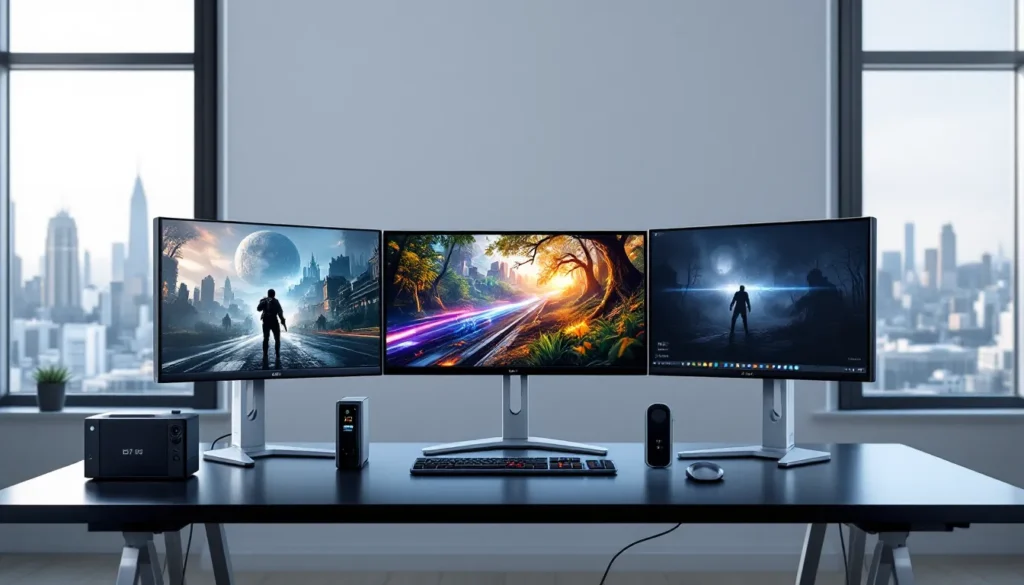
IPS also makes sense for multi-monitor setups. The wide viewing angles mean side monitors stay usable even when viewed at sharp angles, unlike TN panels that wash out immediately. Sim racers, flight sim enthusiasts, and productivity-focused gamers who run triple-monitor rigs will appreciate the consistency.
Skip IPS if you’re chasing the absolute highest refresh rates on a budget, or if you game exclusively in dark rooms and care deeply about contrast. In those scenarios, TN or VA might serve you better. But for most gamers, IPS in 2026 represents the best balance of speed, color, and versatility you can buy.
VA Panels: Deep Blacks and High Contrast for Atmospheric Gaming
Contrast Ratio Benefits and HDR Performance
VA panels crush the competition when it comes to contrast ratio. Native contrast typically ranges from 3000:1 to 5000:1, compared to IPS’s anemic 1000:1 and TN’s even worse performance. This means blacks actually look black instead of washed-out gray, and the difference is immediately noticeable in dark scenes. Horror games, space sims, and any title with heavy shadow work benefit massively from VA’s ability to render deep blacks alongside bright highlights.
HDR performance gets a significant boost from this contrast advantage. High Dynamic Range content relies on the display’s ability to show bright and dark elements simultaneously, and VA panels handle this better than IPS or TN at comparable price points. You’ll see more detail in shadowy corridors while still catching the glare of sunlight streaming through windows. Local dimming zones on higher-end VA monitors push HDR performance even further, delivering punch that rivals OLED in some scenarios.
Color reproduction on VA panels falls between TN and IPS, better than TN’s washed-out look, but not quite matching IPS’s accuracy and vibrancy. Most VA gaming monitors cover 90-100% sRGB and venture into wider gamuts, which is plenty for gaming. The image looks richer than TN but slightly less accurate than IPS, especially at extreme angles. For atmospheric single-player experiences, the deep contrast often matters more than the slight color trade-off.
Ghosting and Response Time Concerns
Here’s where VA panels stumble. Response times lag behind both TN and IPS, with pixel transitions often taking 4-8ms even on gaming-focused models. That slower response creates ghosting, visible trails behind moving objects that smear fast motion. In competitive shooters or fast-paced action games, this manifests as blurry enemy movement and reduced clarity during quick camera pans.
The problem gets worse with specific color transitions. Dark-to-dark transitions (black to dark gray, for example) can spike above 20ms on some VA panels, creating pronounced trailing in shadow-heavy scenes. Ironically, the very contrast advantage that makes VA appealing also exposes this weakness, those deep blacks take longer to transition away from, creating visible smearing.
Manufacturers have improved VA response times in recent years, and 2026’s fastest VA panels approach IPS speeds in ideal transitions. But the technology still lags, and you’ll notice it most in competitive gaming. Aggressive overdrive can reduce ghosting but introduces inverse ghosting artifacts, forcing you to choose between two types of motion blur. Detailed panel reviews from sites like Tom’s Hardware regularly document these trade-offs with motion testing.
Ideal Gaming Scenarios for VA Panels
VA panels excel in slower-paced, atmospheric games where contrast and image depth matter more than pixel response. Horror titles like Resident Evil Village or Alan Wake 2 look stunning on VA displays, the deep blacks amplify tension and the high contrast reveals environmental details that flatten on IPS or TN. Space sims like Star Citizen or Elite Dangerous benefit similarly, with inky black space providing the perfect canvas for bright stars and ship lights.
Racing games and flight sims occupy a middle ground. The high contrast helps with spotting brake markers or instrument panels, but fast camera movement can trigger ghosting. Sim racers who prioritize immersion over leaderboard times often appreciate VA’s visual depth. Competitive racers chasing lap times might find the motion blur frustrating.
Single-player RPGs, strategy games, and story-driven adventures work beautifully on VA panels. Games that let you soak in the scenery rather than demand twitch reflexes showcase VA’s strengths without exposing its weaknesses. If your gaming diet leans toward The Witcher 3, Civilization VI, or narrative adventures, VA’s contrast advantage enhances the experience.
Avoid VA for competitive multiplayer games. The ghosting and slower response times put you at a measurable disadvantage in shooters, MOBAs, or anything requiring fast target tracking. Similarly, skip VA if you game in brightly lit rooms, the contrast advantage diminishes significantly with ambient light, and you’d be better served by IPS’s superior viewing angles and color accuracy.
Head-to-Head Comparison: Which Panel Type Wins for Different Gaming Genres?
Esports and Competitive FPS Games
For esports titles like CS2, Valorant, Rainbow Six Siege, or Overwatch 2, TN and fast IPS panels dominate. Response time and refresh rate matter more than anything else here, you need pixels to update instantly as you snap to targets or hold angles. TN edges ahead at the absolute highest refresh rates (360Hz+), delivering the cleanest motion clarity available. But modern fast IPS at 240-280Hz comes close enough that most players won’t notice a difference.
Color accuracy barely registers as a concern for competitive play. Many pros dial down saturation and crank brightness anyway for maximum visibility. The slight IPS advantage in color means nothing when you’re focused on crosshair placement and enemy silhouettes. TN’s viewing angle limitations also don’t matter, you’re locked into a fixed position at a desk.
VA panels have no business in competitive gaming. The ghosting and slower response times create motion blur that obscures fast-moving enemies and reduces your ability to track targets precisely. Even the fastest VA panels lag behind budget IPS models in response time. If your gaming revolves around ranked ladders and KDA, stick with TN or fast IPS and skip VA entirely.
RPGs, Story-Driven, and Single-Player Games
IPS panels win decisively for immersive single-player experiences. Games like Baldur’s Gate 3, Cyberpunk 2077, Red Dead Redemption 2, or Final Fantasy XVI showcase intricate art direction, careful color grading, and atmospheric lighting that demands accurate color reproduction. IPS delivers the vibrant, consistent image these games deserve.
VA panels compete strongly here thanks to their contrast advantage. The deep blacks enhance moody scenes, dimly lit dungeons, and night exploration. For atmospheric horror or dark fantasy settings, VA’s contrast often trumps IPS’s color accuracy. Titles like Bloodborne, Dark Souls, or survival horror games look particularly striking on VA displays.
TN panels fall flat in this genre. The washed-out colors and poor viewing angles drain the life from carefully crafted visuals. You’ll miss subtle color grading, vibrant sunsets will look muted, and the overall experience suffers. Unless you’re on an extremely tight budget, avoid TN for story-driven games. The choice comes down to whether you prioritize color (IPS) or contrast (VA), both deliver immersive visuals, just with different strengths.
Racing and Simulation Games
Racing and simulation games occupy a unique middle ground. Fast-paced racing like Forza Motorsport or F1 2026 benefits from quick response times to maintain clarity during high-speed turns and camera pans. IPS panels offer the best balance here, fast enough to keep motion clean while delivering the vibrant colors that bring tracks to life. TN works if you’re chasing lap times competitively, but most sim racers prefer IPS for the improved image quality.
VA panels suit slower sims better. Flight simulators like Microsoft Flight Simulator 2024 or space sims benefit from VA’s high contrast, instrument panels pop against dark cockpits, and night flying looks spectacular. The slower response matters less when you’re cruising at altitude rather than dogfighting. Similarly, truck sims or relaxed driving games where you’re soaking in scenery rather than chasing lap records work well on VA.
Curved VA panels are particularly popular in sim racing setups. The immersive curve combined with deep contrast creates a convincing sense of depth, and the slower response becomes less noticeable when you’re focused on braking points rather than twitch reactions. But for competitive racing where every millisecond counts, IPS remains the safer choice. Testing from TechRadar consistently shows IPS delivering better motion clarity in fast-paced racing scenarios.
Additional Factors to Consider Beyond Panel Type
Refresh Rate and Adaptive Sync Technologies
Panel type matters, but refresh rate determines how many frames per second your monitor can display. A 144Hz IPS panel will feel smoother than a 60Hz TN panel even though TN’s faster response time. For competitive gaming, aim for at least 144Hz, 240Hz if your GPU can push those frames consistently. Esports grinders benefit from 280Hz+ on TN or fast IPS, though diminishing returns kick in beyond 360Hz.
Adaptive sync technologies (G-Sync and FreeSync) eliminate screen tearing by matching your monitor’s refresh to your GPU’s frame output. This matters regardless of panel type, a VA panel with FreeSync will look smoother than one without, even if both have identical response times. Most modern gaming monitors support adaptive sync, but check compatibility with your GPU (Nvidia or AMD). G-Sync Ultimate and FreeSync Premium Pro add HDR support and variable overdrive, further improving the experience.
Don’t assume higher refresh automatically means better gaming. A 240Hz VA panel with significant ghosting might feel worse than a 144Hz fast IPS with clean motion. The interaction between refresh rate, response time, and panel type determines real-world smoothness. Look for reviews that test motion clarity specifically, not just refresh rate specs.
Resolution and Screen Size Considerations
Resolution impacts which panel types make sense. At 1080p, all three technologies perform well, TN’s color weaknesses matter less on smaller, lower-resolution displays. At 1440p, IPS’s color accuracy becomes more noticeable as pixel density increases and you’re sitting closer to the screen. VA’s contrast advantage also shines at higher resolutions, especially in darker scenes.
4K gaming shifts the equation. The GPU horsepower required to push 4K limits refresh rates, making response time slightly less critical. IPS and VA both work well at 4K, choose IPS for color-critical work and versatile gaming, or VA if you prioritize contrast and mostly play single-player titles. TN panels at 4K are rare and generally not worth considering given their poor color reproduction at large screen sizes.
Screen size interacts with panel type. TN’s viewing angle issues worsen on displays above 27 inches, colors shift noticeably across the screen surface when you’re sitting at normal desk distance. IPS scales well to 32 inches and beyond thanks to its wide viewing angles. VA works at any size but is particularly popular in ultrawide formats (21:9 or 32:9) where the high contrast creates an immersive wraparound effect. Match panel type to your intended screen size, not just gaming genre.
Our Final Verdict: Choosing the Right Panel Type for Your Gaming Setup
No single panel type dominates every scenario. TN panels remain the speed kings for competitive esports where every millisecond matters and visual fidelity takes a back seat. If you’re grinding ranked matches in shooters or chasing pro-level performance, TN at 240Hz+ delivers the cleanest motion clarity available. Just accept the color and viewing angle trade-offs.
IPS panels represent the best all-around choice for most gamers in 2026. Modern fast IPS models deliver response times that compete with TN while maintaining superior color accuracy and wide viewing angles. They handle competitive games competently and excel in single-player experiences. The versatility makes IPS ideal if you jump between genres or use your monitor for creative work beyond gaming. You’ll pay a premium over TN, but the image quality upgrade justifies the cost for anyone who isn’t laser-focused on esports.
VA panels carve out a niche for atmospheric single-player gaming. The contrast advantage creates stunning visuals in dark scenes, making VA perfect for horror games, space sims, and cinematic adventures. But the ghosting issues make VA a poor fit for competitive play. Choose VA if your gaming diet consists mostly of story-driven titles and you game in a dim or dark room where contrast matters most.
Budget plays a role too. TN offers the cheapest entry into high refresh gaming, a 1080p 144Hz TN panel costs significantly less than comparable IPS. If you’re building on a tight budget and prioritize frame rates over visuals, TN makes financial sense. But if you can stretch the budget even slightly, entry-level IPS at 144Hz provides much better versatility.
The meta in 2026 has shifted toward fast IPS for mid-to-high-end gaming setups. The technology has matured to the point where it no longer forces a trade-off between speed and image quality. TN holds the crown at 360Hz+ for hardcore competitors. VA serves a specific audience who values contrast above all. For everyone else, fast IPS at 240-280Hz represents the sweet spot, fast enough for competitive play, beautiful enough for immersive experiences, and versatile enough to handle everything in between.
Conclusion
Panel type shapes your gaming experience as much as GPU or refresh rate, yet it’s often overlooked in favor of flashier specs. TN delivers unmatched speed for competitive purists willing to sacrifice color. IPS balances response time with accurate, vibrant visuals for gamers who refuse to compromise. VA trades motion clarity for deep contrast that brings atmospheric titles to life.
The right choice depends on what you play and how you play it. Competitive shooters demand speed, lean toward TN or fast IPS. Story-driven adventures and RPGs reward image quality, IPS or VA depending on whether you prioritize color or contrast. Budget constraints might push you toward TN, but stretching for IPS pays dividends in versatility.
Monitor shopping in 2026 means understanding these trade-offs and matching panel technology to your gaming priorities. The spec sheet only tells part of the story, response time, viewing angles, and contrast ratio determine whether a monitor feels right when you’re actually gaming. Choose wisely, and you’ll notice the difference in every session.