
Table of Contents
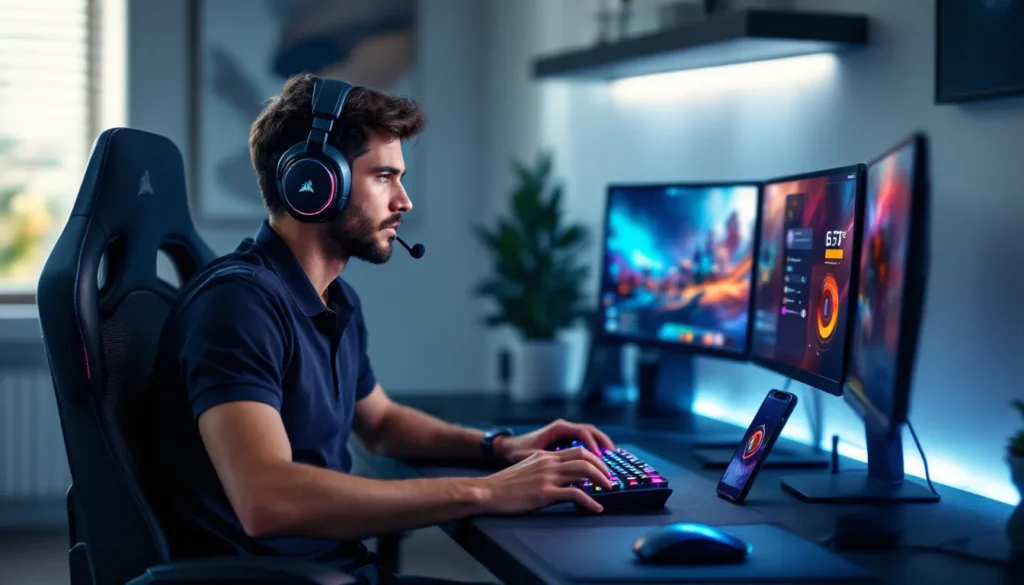
TogglePicking the right gaming headset can make or break your setup. Whether you’re tracking footsteps in a tactical shooter, coordinating callouts with your squad, or just vibing through a single-player campaign, audio quality matters. Corsair has been a heavyweight in the peripheral game for years, and their headset lineup in 2026 continues to balance performance, features, and price across every tier.
This guide breaks down Corsair’s current headset roster, highlighting what makes each model tick, how to match one to your platform and playstyle, and what optimization tricks you should know. No fluff, just the specs, features, and hands-on context you need to make an informed choice.
Key Takeaways
- Corsair gaming headsets lead the market with ecosystem integration through iCUE software, SLIPSTREAM WIRELESS sub-1ms latency, and multi-platform compatibility across PC, PlayStation, Xbox, Switch, and mobile devices.
- The HS80 RGB Wireless offers the best value for competitive gamers at $150, combining Dolby Atmos spatial audio, 20-hour battery life, and directional audio tuning optimized for FPS and battle royale titles.
- A Corsair gaming headset’s fit and comfort depend on clamping force, cushion material (leatherette vs. fabric), and weight, with adjustments possible through iCUE software and third-party cushion upgrades.
- Budget-conscious players can achieve 80% of flagship performance with the HS65 Surround at $80, while the Virtuoso XT at $270 justifies premium pricing with hi-res audio drivers and broadcast-grade detachable microphone for streamers and audiophiles.
- Optimizing EQ settings in iCUE for specific game genres—boosting 2kHz–6kHz for FPS footsteps, enabling Dolby Atmos for immersive titles, and running flat stereo for tactical shooters—significantly enhances competitive gaming performance and audio clarity.
Why Corsair Dominates the Gaming Headset Market
Corsair carved out its reputation by building reliable, feature-packed peripherals that don’t compromise on build quality. Their gaming headsets reflect that DNA: aluminum frames, memory foam ear cushions, and driver tech that punches above its price bracket.
What sets Corsair apart is ecosystem integration. Most of their headsets tie into iCUE, Corsair’s unified software platform for RGB control, EQ tuning, and macro programming across all compatible gear. If you’re already running Corsair keyboards, mice, or cooling, your headset syncs seamlessly with your existing profiles.
Another edge: platform flexibility. Corsair designs headsets that work across PC, PlayStation, Xbox, Switch, and even mobile via USB-C or 3.5mm. They’re not locking you into a single console ecosystem, which matters if you game across multiple platforms.
Finally, Corsair invests in wireless tech that actually performs. Their SLIPSTREAM WIRELESS protocol delivers sub-1ms latency on flagship models, eliminating the delay that plagued earlier wireless headsets. Battery life typically ranges from 16 to 20 hours depending on RGB usage, which is competitive with SteelSeries and Logitech’s premium offerings.
Top Corsair Gaming Headsets Reviewed for 2026
Corsair Virtuoso RGB Wireless XT: Premium Audio Meets Versatility
The Virtuoso RGB Wireless XT is Corsair’s flagship, targeting audiophiles who refuse to compromise on sound quality. It uses 50mm neodymium drivers tuned for 20Hz–40kHz frequency response, wider than most gaming headsets, and supports hi-res audio over USB or 3.5mm wired connections.
Connectivity is its standout feature: SLIPSTREAM WIRELESS for ultra-low latency, Bluetooth 5.2 for mobile pairing, and wired USB-C or 3.5mm. You can seamlessly switch between your PC, phone, and console mid-session without re-pairing.
Build quality is premium aluminum with machined steel sliders. The ear cushions are plush memory foam wrapped in leatherette, comfortable for 4+ hour sessions. The broadcast-grade omnidirectional mic is detachable, making this headset viable for streaming or music production beyond gaming.
Downsides? At around $270, it’s priced against SteelSeries Arctis Nova Pro and Audeze Maxwell. Also, the open-back tuning (on the XT variant) leaks sound, so it’s not ideal for shared spaces.
Best for: PC gamers who demand hi-res audio, streamers, and multi-platform users willing to invest in top-tier sound.
Corsair HS80 RGB Wireless: The Mid-Range Champion
The HS80 RGB Wireless hits the sweet spot for competitive gamers who want wireless freedom without flagship pricing. It features custom-tuned 50mm neodymium drivers optimized for directional audio cues, footsteps, reloads, ability sounds, critical in FPS and battle royale titles.
Spatial audio comes via Dolby Atmos on PC (license included) and Tempest 3D on PS5, giving you surround positioning without additional software. Battery life sits at 20 hours with RGB active, 24 with it disabled.
The broadcast-grade mic uses omnidirectional pickup with flip-to-mute functionality. Voice clarity is solid for Discord or in-game comms, though it’s not quite as crisp as the Virtuoso’s detachable unit.
Comfort-wise, the memory foam cushions and adjustable headband work well for extended sessions, though the clamping force is slightly tighter than the Virtuoso. The tradeoff is better passive noise isolation.
Priced around $150, it competes directly with Logitech G Pro X Wireless and HyperX Cloud II Wireless. Professional players looking for pro player settings often pair this headset with custom EQ profiles for competitive advantages.
Best for: Competitive FPS players, PS5 owners, and gamers who prioritize wireless performance at a mid-range budget.
Corsair HS65 Surround: Budget-Friendly Performance
The HS65 Surround proves you don’t need to spend $200+ for respectable gaming audio. At around $80, it delivers custom 50mm neodymium drivers and Dolby Audio 7.1 surround via USB connection on PC.
It’s a wired-only headset, which eliminates battery anxiety and maintains consistent audio quality. The lightweight design (282g) reduces neck strain during marathon sessions, though the plastic frame feels less premium than higher-tier models.
The unidirectional mic is Discord-certified, meaning it meets minimum standards for clarity and noise rejection. It’s not broadcast-grade, but it handles callouts and voice chat without issue.
Ear cushions use breathable fabric instead of leatherette, which reduces heat buildup but sacrifices some passive noise isolation. The tradeoff works if you game in a quiet environment or prefer cooler ears over maximum isolation.
Compatibility extends to PC, PS5, PS4, Xbox Series X
|
S, and Switch via USB-A or 3.5mm. No iCUE software on consoles, but the default tuning is balanced enough for most genres.
Best for: Budget-conscious PC gamers, students, or anyone building their first serious gaming setup without very costly.
Corsair Void RGB Elite: Reliable All-Rounder
The Void RGB Elite occupies the entry-to-mid tier at around $100. It’s wireless via a 2.4GHz USB dongle (not SLIPSTREAM, so latency is slightly higher at ~2ms), with 50mm drivers tuned for general gaming rather than competitive precision.
Battery life clocks in at 16 hours with RGB enabled, which is adequate but trails the HS80. The mic is omnidirectional with LED mute indicator, and voice quality is comparable to the HS65, fine for casual comms, not for streaming.
Comfort is a mixed bag. The microfiber mesh cushions breathe well, but the headband padding is thinner than the HS80 or Virtuoso. After 3+ hours, some users report pressure points.
What the Void RGB Elite does well: customization via iCUE. RGB lighting syncs with other Corsair gear, and EQ presets are easy to tweak. It’s also one of the few Corsair headsets with Discord-certified audio, which automatically optimizes settings for voice chat apps.
Best for: Casual gamers who want wireless convenience and RGB sync without premium pricing, or as a secondary headset for variety gaming.
Key Features That Set Corsair Headsets Apart
Advanced Audio Technologies and Drivers
Corsair standardizes on 50mm neodymium drivers across most of their lineup, but tuning varies by model. The Virtuoso prioritizes frequency range and clarity for music and hi-res sources. The HS80 emphasizes directional cues and mid-range punch for competitive gaming. The HS65 and Void RGB Elite aim for balanced, general-purpose sound.
Spatial audio depends on platform and connection. PC users get Dolby Atmos (HS80, Virtuoso) or Dolby Audio 7.1 (HS65) via USB. PS5 owners benefit from Tempest 3D Audio on compatible models. Xbox doesn’t have native spatial audio from Corsair headsets, you’ll rely on Windows Sonic or Dolby Atmos for Headphones if you’re gaming on PC or Xbox Series X
|
S.
Impedance typically sits at 32Ω, making Corsair headsets easy to drive from consoles, mobile devices, or low-power sources. You don’t need a dedicated amp, though audiophiles might pair the Virtuoso with an external DAC for wired hi-res playback.
Microphone Quality and Noise Cancellation
Corsair segments mic quality by tier. Budget models like the HS65 use unidirectional mics that pick up your voice while rejecting some ambient noise. Mid-range and flagship headsets (HS80, Virtuoso) feature omnidirectional broadcast-grade mics with better frequency response (100Hz–10kHz) and lower self-noise.
The Virtuoso’s mic is detachable, which is rare in gaming headsets. It uses a standard 3.5mm connection, so you can swap in third-party mics if needed. All Corsair mics include LED mute indicators, red when muted, so you don’t accidentally talk on mute during a clutch moment.
Noise cancellation is passive (via ear cushion seal) rather than active ANC. Leatherette cushions on the Virtuoso and HS80 provide better isolation than the fabric mesh on the HS65 and Void Elite. If you need ANC for noisy environments, you’d have to look outside Corsair’s current lineup.
For detailed headset comparisons with measured mic performance and noise isolation data, third-party testing sites provide objective benchmarks beyond manufacturer claims.
Wireless vs. Wired: Understanding Corsair’s Connectivity Options
Corsair offers three wireless protocols:
- SLIPSTREAM WIRELESS: Sub-1ms latency, proprietary 2.4GHz, USB dongle required. Found on Virtuoso and HS80. Best for competitive gaming.
- Standard 2.4GHz: ~2ms latency, USB dongle. Used on Void RGB Elite. Still responsive, slight delay compared to SLIPSTREAM.
- Bluetooth 5.2: Available only on Virtuoso. Higher latency (~40–80ms), unsuitable for gaming but convenient for music and calls.
Wired connections include USB-A, USB-C, and 3.5mm. USB carries digital audio with full iCUE support. The 3.5mm analog connection works universally but disables software features like EQ and surround.
Battery life varies:
- Virtuoso XT: 15 hours (RGB on), 20 hours (RGB off)
- HS80 RGB Wireless: 20 hours (RGB on), 24 hours (RGB off)
- Void RGB Elite: 16 hours (RGB on)
Charging uses USB-C on newer models, micro-USB on older Void variants. Fast charging isn’t supported, so expect 2–3 hours for a full charge.
How to Choose the Right Corsair Gaming Headset for Your Setup
Matching Headsets to Gaming Platforms
PC gamers have the most flexibility. Any Corsair headset works, but iCUE software integration matters. If you’re running other Corsair peripherals, prioritize models with full iCUE support (Virtuoso, HS80, HS65, Void Elite) for unified RGB and macro control.
PlayStation 5/PS4 users should target headsets with Tempest 3D Audio certification. The HS80 RGB Wireless is the top pick, delivering spatial audio and wireless performance optimized for Sony’s platform. Wired models like the HS65 also work via USB or 3.5mm.
**Xbox Series X
|
S and Xbox One players** face limitations. Wireless headsets require Xbox Wireless support, which Corsair doesn’t use. Your best bet is wired USB (HS65) or 3.5mm connected to the controller. Alternatively, use the HS80 or Virtuoso with a USB wireless dongle on Xbox, it works, but you lose Xbox-specific features.
Nintendo Switch compatibility requires 3.5mm or USB-C. The Virtuoso and HS65 both support USB-C audio, making them solid docked or handheld choices. Wireless dongles don’t work in handheld mode.
Mobile gamers benefit from the Virtuoso’s Bluetooth or any model with a 3.5mm cable. Just note that software EQ won’t carry over, you’re stuck with default tuning.
Comfort Considerations for Extended Gaming Sessions
Comfort hinges on three factors: clamping force, cushion material, and weight.
Clamping force determines how tightly the headset grips your head. The HS80 clamps tighter for better noise isolation, but it can cause pressure fatigue after 3+ hours. The Virtuoso’s adjustable steel sliders offer a looser, more premium fit. The HS65’s lightweight design reduces overall pressure but sacrifices some stability.
Cushion material affects heat and durability:
- Leatherette (Virtuoso, HS80): Better passive isolation, more heat buildup.
- Fabric mesh (HS65, Void Elite): Cooler, less isolation, wears out faster.
If you game in a hot room or wear glasses, fabric cushions reduce heat and pressure on frames. Leatherette is better for cold environments or noisy households.
Weight ranges from 282g (HS65) to 360g (Virtuoso). Lighter headsets reduce neck strain during 6+ hour sessions, but premium materials add weight. The HS80 at 367g is heavy but distributes weight well via padded headband.
Budget Guidelines and Value Analysis
Corsair’s pricing tiers align with feature sets:
- Under $100: HS65 Surround, Void RGB Elite. Wired reliability or basic wireless. Good for casual players or tight budgets.
- $100–$180: HS80 RGB Wireless. Peak value for competitive and multi-platform gaming.
- $200+: Virtuoso RGB Wireless XT. Premium audio, multi-connectivity, and build quality for enthusiasts and content creators.
Value depends on use case. Competitive FPS players gain the most from the HS80’s low latency and directional audio. Streamers justify the Virtuoso’s broadcast mic and hi-res audio. Casual gamers rarely need flagship features, the HS65 delivers 80% of the performance at 30% of the cost.
Watch for sales. Corsair headsets frequently drop 20–30% during Black Friday, Prime Day, or seasonal promotions. The HS80 at $100–$110 is a steal.
Corsair iCUE Software: Unlocking Advanced Customization
iCUE (Intelligent Corsair Utility Engine) is Corsair’s unified control hub for peripherals. It manages EQ, RGB, mic settings, battery monitoring, and firmware updates across all compatible devices.
Key features for headsets:
- EQ Customization: 10-band graphic equalizer with presets for FPS, MOBA, MMO, movies, and music. You can fine-tune frequencies to emphasize footsteps, reduce bass mud, or boost dialogue clarity.
- Sidetone Control: Adjusts how much of your own voice you hear in the headset. Useful for preventing shouting on comms.
- Mic Monitoring and Noise Gate: Set threshold levels to filter background noise (keyboard clicks, fan hum) from your mic feed.
- RGB Synchronization: Sync headset lighting with keyboards, mice, RAM, and fans. Create unified color profiles or reactive effects tied to in-game events.
- Surround Sound Toggles: Enable/disable Dolby Atmos or 7.1 surround per game profile. Some competitive players prefer stereo for more accurate directionality.
- Battery and Firmware: Monitor remaining charge, set low-battery warnings, and push firmware updates to improve performance or add features.
iCUE profiles are game-specific. You can auto-switch EQ and RGB when launching Valorant, then revert to a different profile for Cyberpunk 2077. Profiles sync to Corsair’s cloud if you game on multiple PCs.
Downside: iCUE is Windows-only. Mac, Linux, and console users lose software control and rely on default tuning or onboard memory profiles (limited on most Corsair headsets). Many gaming hardware reviews highlight this as a gap compared to cross-platform tools from Razer or Logitech.
iCUE’s learning curve is moderate. First-time users benefit from preset templates, but power users can script custom macros and lighting behaviors via the advanced editor.
Optimizing Your Corsair Headset for Competitive Gaming
EQ Settings for Different Game Genres
EQ tuning depends on what you need to hear. Here’s a breakdown by genre:
FPS (Valorant, CS2, Warzone):
- Boost mid-high frequencies (2kHz–6kHz) to emphasize footsteps and weapon sounds.
- Cut sub-bass (20Hz–60Hz) to reduce explosion rumble that masks directional cues.
- Keep upper treble (8kHz+) neutral to avoid harsh gunfire.
Battle Royale (Apex Legends, PUBG, Fortnite):
- Similar to FPS, but boost 500Hz–1kHz slightly for voice comms clarity.
- Moderate bass (60Hz–200Hz) for vehicle sounds and zone indicators.
MOBA (League, Dota 2):
- Balanced EQ. Ability sounds span wide frequency ranges.
- Slight boost at 1kHz–3kHz for announcer callouts and pings.
MMO/RPG (WoW, FFXIV, Elden Ring):
- Enhanced bass for cinematic impact.
- Smooth mid-range for dialogue and ambient soundscapes.
- Treble boost for spell effects and environmental detail.
Esports competitors often disable all EQ enhancements and run flat stereo for consistent, predictable audio. Check your game’s ruleset, some tournaments ban software EQ.
Spatial Audio and Surround Sound Configuration
Spatial audio is divisive in competitive gaming. Dolby Atmos and 7.1 surround widen the soundstage, which helps in single-player games and casual modes. But in competitive FPS, stereo often provides more accurate left-right positioning.
Recommendations:
- Enable surround for battle royales, MMOs, and single-player campaigns where immersion and verticality matter.
- Disable surround for tactical shooters (Valorant, CS2, Rainbow Six Siege) where pinpoint horizontal audio is critical.
- Test both in your main game. Some titles (like Apex Legends) have excellent spatial audio engines that pair well with Atmos. Others (like CS2) are optimized for stereo HRTF.
On PS5, Tempest 3D Audio is mandatory and controller by system settings, not the headset. Make sure you select the correct ear shape profile in PS5 audio settings for best results.
For PC, Windows Sonic is free and decent. Dolby Atmos costs $15 but offers better positional accuracy and richer profiles. Corsair headsets include Dolby Atmos licenses with select models (HS80, Virtuoso), so you don’t pay extra.
Common Issues and Troubleshooting Tips
Headset not detected in iCUE:
- Update iCUE to the latest version (Corsair pushes monthly patches).
- Replug the USB dongle or cable to a different USB port. Avoid hubs, connect directly to motherboard.
- Check Device Manager (Windows) for driver conflicts. Uninstall and reinstall the Corsair audio driver.
- Restart the iCUE service via Task Manager > Services tab.
Audio cutting out or crackling:
- Wireless models: Move the USB dongle closer or use a USB extension cable to reduce interference. Wi-Fi routers, Bluetooth devices, and other 2.4GHz peripherals can cause dropouts.
- Wired models: Test a different USB port or cable. Faulty cables are common, especially if the headset has been coiled tightly.
- Update firmware via iCUE. Corsair fixes audio glitches in firmware patches.
Microphone not working or low volume:
- Flip the mic down to unmute (LED should turn off).
- In iCUE, check mic input level and noise gate settings. Default threshold might be too high.
- Windows 10/11: Right-click speaker icon > Sounds > Recording tab. Set Corsair mic as default device and boost input level to 80–100%.
- On PS5/Xbox, check console audio settings to ensure the headset mic is selected over the controller mic.
Battery draining fast:
- Disable RGB lighting via iCUE or the onboard button. RGB typically adds 15–25% battery drain.
- Lower headset volume. Max volume draws more power.
- Check for firmware updates, older firmware sometimes has poor power management.
Uncomfortable fit or pressure points:
- Adjust the headband in small increments. Corsair’s steel sliders can be stiff out of the box.
- Rotate ear cups to align with your head shape.
- Replace cushions. Third-party memory foam upgrades (from Wicked Cushions or Brainwavz) improve comfort on the HS65 and Void Elite.
EQ changes not saving:
- Ensure you’re saving the profile, not just adjusting sliders. Click the save icon in iCUE after tweaking.
- Enable profile auto-switching for specific games. Otherwise, iCUE defaults to the last-used profile.
Corsair Gaming Headsets vs. The Competition
Corsair HS80 vs. Logitech G Pro X Wireless:
Both are $150 wireless headsets targeting competitive players. The HS80 edges out with longer battery life (20 vs. 16 hours) and included Dolby Atmos. Logitech counters with Blue VO.CE mic filters and slightly better passive noise isolation. Platform compatibility is similar, though Logitech’s G Hub software works on macOS while iCUE is Windows-only.
Verdict: HS80 for PC/PS5 multi-platform users. G Pro X for players who prioritize mic quality and Mac support.
Corsair Virtuoso vs. SteelSeries Arctis Nova Pro Wireless:
The Virtuoso costs $270: the Nova Pro Wireless runs $350. Both offer hi-res audio and multi-platform connectivity. SteelSeries adds a GameDAC with OLED controls and dual-battery hot-swap system, premium features that justify the price gap. Virtuoso has better build materials (aluminum vs. plastic/steel mix) and detachable mic flexibility.
Verdict: Virtuoso for audiophiles who value build quality. Nova Pro for gamers who need hot-swappable batteries and prefer tactile DAC controls.
Corsair HS65 vs. HyperX Cloud II Core:
Budget wired shootout. HS65 offers Dolby 7.1 and iCUE customization at $80. HyperX Cloud II Core is $60 with no software but excellent passive soundstaging and renowned comfort. HyperX’s mic quality is slightly better, but the HS65 wins on features.
Verdict: HS65 if you want software control and spatial audio. Cloud II Core for plug-and-play reliability and maximum comfort.
Corsair Void Elite vs. Razer Kraken V3:
Both sit around $100. The Void Elite has wireless via dongle, while the Kraken V3 is wired USB with Razer Chroma RGB and THX Spatial Audio. Razer’s drivers are more bass-heavy: Corsair’s are more neutral. Razer Synapse offers more RGB customization than iCUE for headsets specifically.
Verdict: Void Elite for wireless convenience. Kraken V3 for RGB enthusiasts and bass lovers.
Corsair’s strength is ecosystem integration and wireless performance at mid-tier prices. Where they trail: Mac/Linux software support, premium ANC features, and Bluetooth latency compared to dedicated audio brands like Audeze or Sennheiser.
Conclusion
Corsair’s 2026 headset lineup covers nearly every use case, from the budget-conscious HS65 to the feature-packed Virtuoso XT. Their strength lies in reliable wireless tech, robust iCUE integration, and multi-platform versatility that adapts to how you actually game.
If you’re chasing competitive edge, the HS80 RGB Wireless delivers low-latency performance and spatial audio that holds up in ranked matches. Audiophiles and streamers will appreciate the Virtuoso’s hi-res drivers and broadcast mic. And if you’re just starting out or gaming casually, the HS65 proves you don’t need flagship pricing for solid sound.
Match the headset to your platform and priorities. Test EQ settings in your main titles. And don’t skip firmware updates, Corsair’s software support regularly adds performance improvements and bug fixes that refine the experience over time.